Account Deletion Guide
Learn how to permanently delete your Plinko Galaxy account and all associated data from the Google Play Store app
⚠️ Important Warning
Account deletion is permanent and cannot be undone. All your game progress, achievements, virtual currency, and personal data will be permanently removed from our servers.
How to Delete Your Account
For Plinko Galaxy app downloaded from Google Play Store on Android devices
Open Plinko Galaxy App
Launch the Plinko Galaxy application on your Android device from Google Play Store.
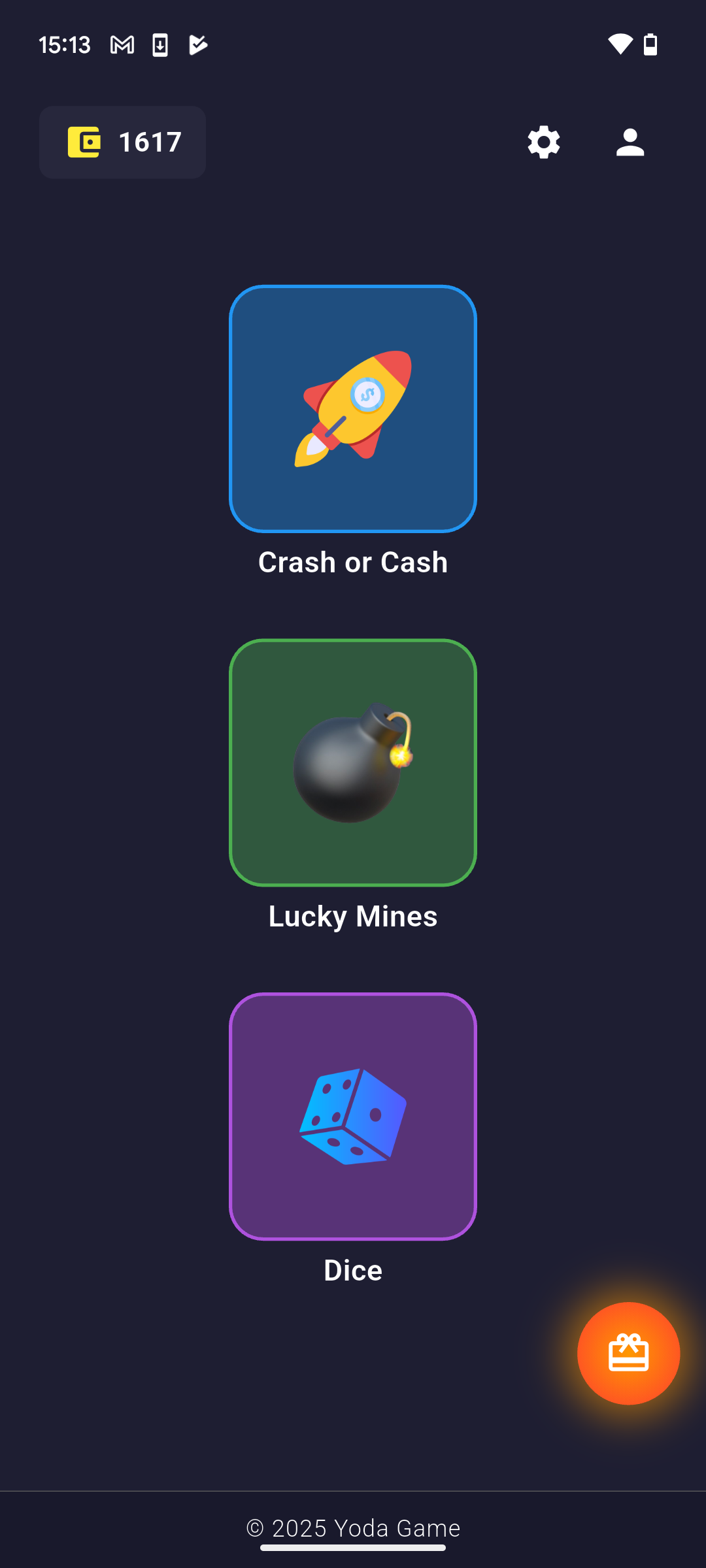
Access Account Settings
Tap the profile icon (👤) in the top-right corner of the main screen to access your account information.
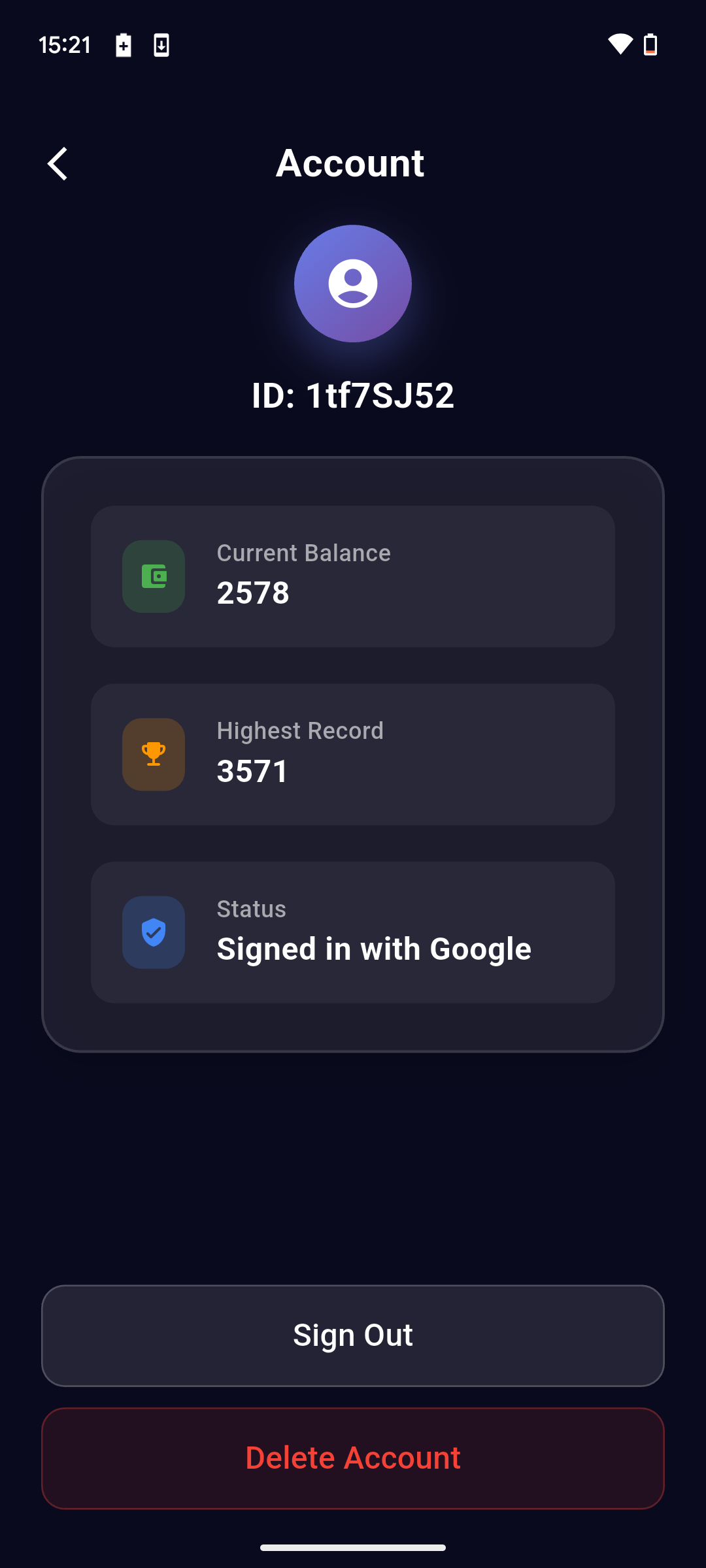
Find Delete Account Option
Scroll down to the bottom of the account page and tap the "Delete Account" button (displayed in red).
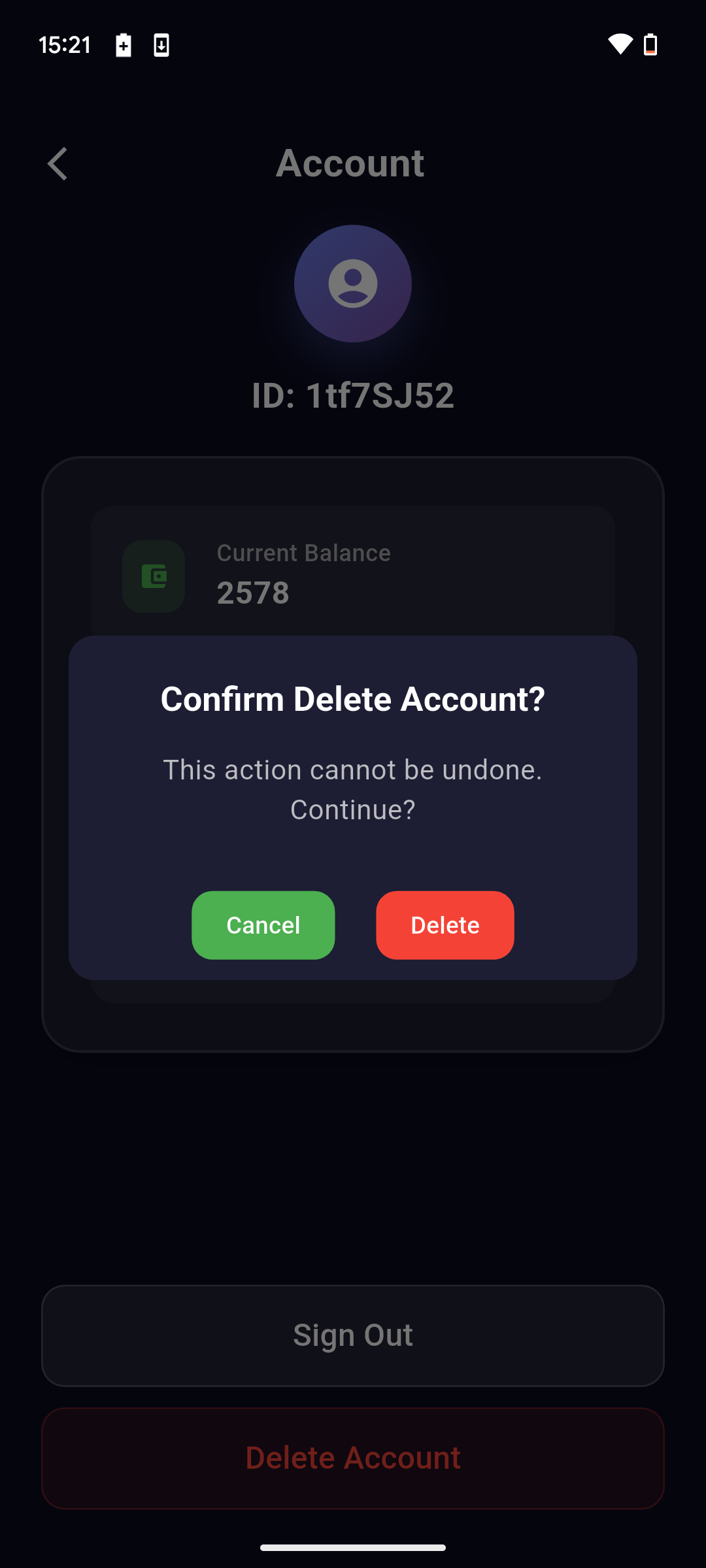
Confirm Deletion
Read the confirmation dialog carefully. If you're certain, tap "Delete" to permanently remove your account. Tap "Cancel" if you've changed your mind.
Account Removal Complete
Your Plinko Galaxy account and all associated data will be permanently deleted within 24 hours. You will be automatically signed out of the Google Play Store app.
What Gets Deleted
- All game progress and achievements
- Virtual currency and purchased items
- Account preferences and settings
- Any personal information associated with your account
- Game statistics and leaderboard entries
- iCloud sync data (if enabled)
Need Help?
If you're having trouble deleting your Plinko Galaxy account from the Google Play Store app or need assistance with the process, our support team is here to help.
Contact Support